

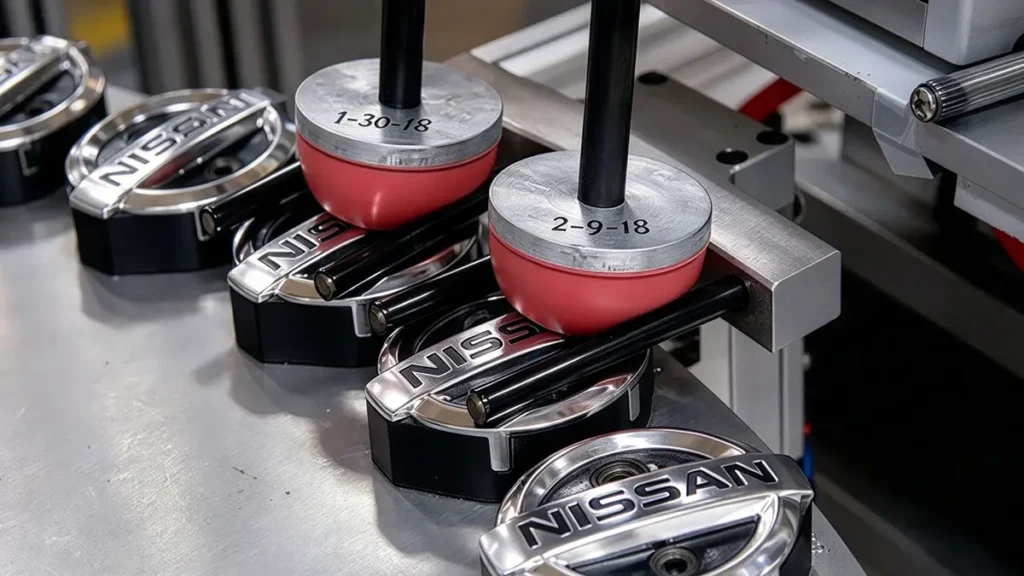
Es gibt verschiedene Druckverfahren, die jeweils für unterschiedliche Materialien, Formen und Produktionsanforderungen geeignet sind. Der Tampondruck ist eines der vielseitigsten und am weitesten verbreiteten Druckverfahren in der Industrie. Seine Anpassungsfähigkeit an komplexe Oberflächen, kombiniert mit Präzision und Produktionsgeschwindigkeit, macht ihn zur idealen Wahl für die individuelle Gestaltung einer Vielzahl von Gegenständen. Der Tampondruck eignet sich besonders gut zum Aufbringen kleiner Grafiken, Logos, Skalen und Kennzeichnungen auf gekrümmte, vertiefte, abgestufte oder unregelmäßige Oberflächen. Dieser Leitfaden beschreibt den Tampondruckprozess und befasst sich dabei eingehend mit Silikontampons, Druckplatten und Farbübertragungstechnologien.
Was ist Tampondruck?
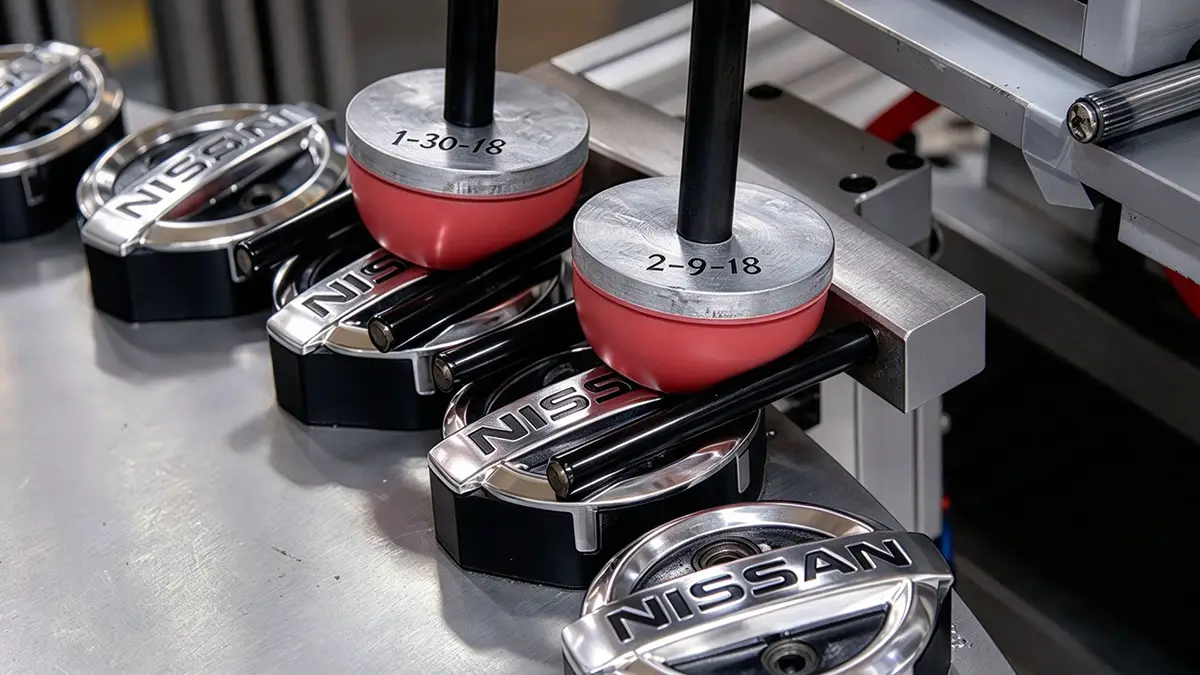
Der Tampondruck wird manchmal auch als Tampographie oder Tampodruck bezeichnet. Es handelt sich um ein indirektes Offset- (Tiefdruck-)Verfahren, bei dem ein Silikon-Tampon ein zweidimensionales Bild von einer lasergravierten (geätzten) Druckplatte (auch Klischee genannt) aufnimmt und auf einen dreidimensionalen Gegenstand überträgt. Dieses Verfahren ermöglicht das Bedrucken aller Arten von Produkten mit schwierigen Formen. So lassen sich beispielsweise gekrümmte (konvexe), hohle (konkave), zylindrische, kugelförmige, vieleckige und strukturierte Oberflächen bedrucken. Diese Formen waren mit herkömmlichen Druckverfahren nur schwer oder gar nicht zu bedrucken.
Aus welchen Komponenten besteht ein Tampondrucker?
Bevor man versteht, wie der Tampondruck funktioniert, ist es wichtig, die Bestandteile einer Tampondruckmaschine zu kennen.
Zu den Kernelementen des Tampondrucks gehören der Drucker, die Druckplatte (Klischee), das Silikontampon, der Farbbecher, die Druckfarbe und die Maschine.
Es gibt drei Arten von Tampondruckern, die sich jeweils in ihrer Aufbauweise und ihrem Druckverfahren unterscheiden. Zu diesen Kategorien gehören der offene Farbbehälter, der geschlossene Farbbehälter und der Rotationstiefdruck. Der offene Farbbehälter ist am vielseitigsten, da hier mithilfe einer Spachtel und einer Rakel die Platte mit Farbe befüllt und rakeliert wird.
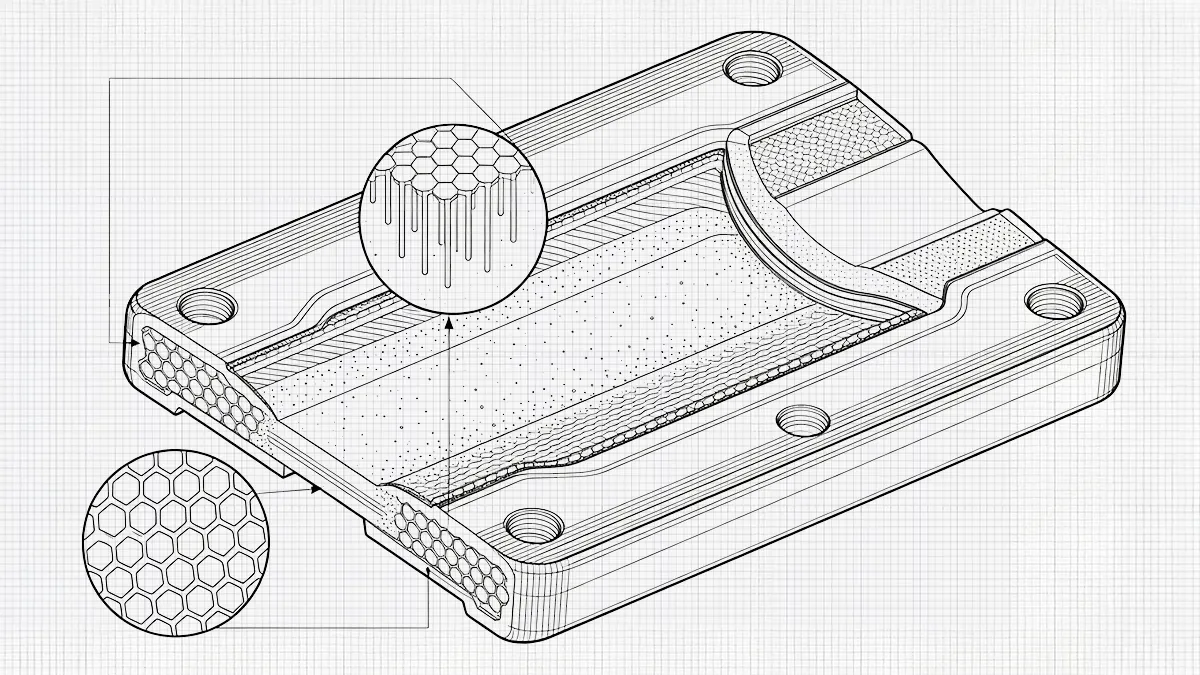
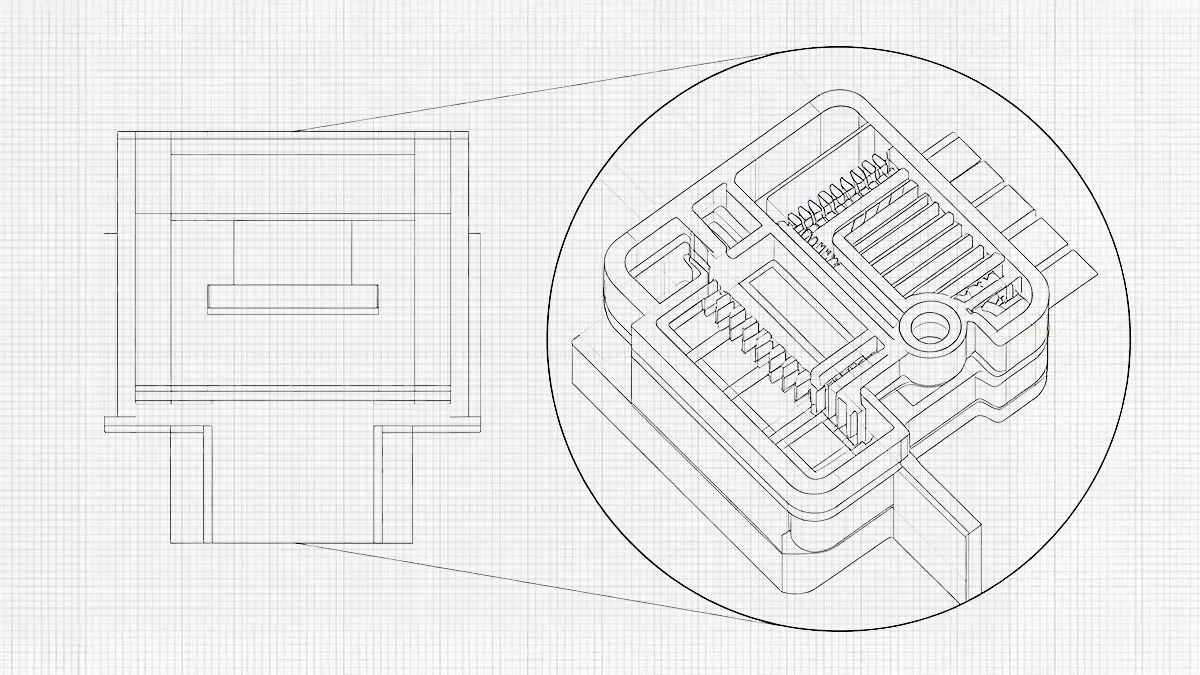
Eine Klischeeplatte ist eine flache Metall- oder Kunststoffplatte, auf die das Motiv oder Logo eingraviert oder geätzt wurde und die so ausgelegt ist, dass sie eine bestimmte Menge an Druckfarbe aufnimmt. Ein Silikonstempel ist ein flexibler, weicher Stempel, der gegen die Klischeeplatte gedrückt wird, um die Druckfarbe aufzunehmen. Er besteht aus Silikonkautschuk. Der Silikonstempel passt sich der Form des Objekts an, um die Druckfarbe darauf zu übertragen. Der Farbbecher wird manchmal auch als Rakel bezeichnet. Es handelt sich um einen geschlossenen Becher oder einen Rakelmechanismus, der die Platte mit Farbe flutet. Der Farbbecher wischt überschüssige Farbe von der Oberfläche ab. Die Maschine bzw. die Vorrichtung positioniert das Substrat und steuert den genauen Zeitpunkt, die Bewegung und den Druck des Stempels.
Wie funktioniert der Tampondruck?
Der Tampondruckprozess ist ein sich wiederholender Vorgang. Der Bediener kann die einzelnen Schritte so lange wiederholen, bis ein zufriedenstellendes Druckergebnis erzielt wird. Im Folgenden sind die wichtigsten Schritte aufgeführt:
- Bildätzung
Sobald der Drucker eingerichtet ist, ätzt der Bediener das Bild ein. Ein Motiv wird auf eine Metall- oder Polymerplatte (Klischee) geätzt. Durch das Ätzen entsteht ein vertieftes Bild, das die Druckfarbe aufnimmt. Die Tiefe und die Fläche der Ätzung beeinflussen, wie viel Druckfarbe aufgenommen wird, was sich wiederum auf die endgültige Druckqualität hinsichtlich Lesbarkeit und Haltbarkeit auswirkt.
- Farbauftrag und Abziehen der Rakel
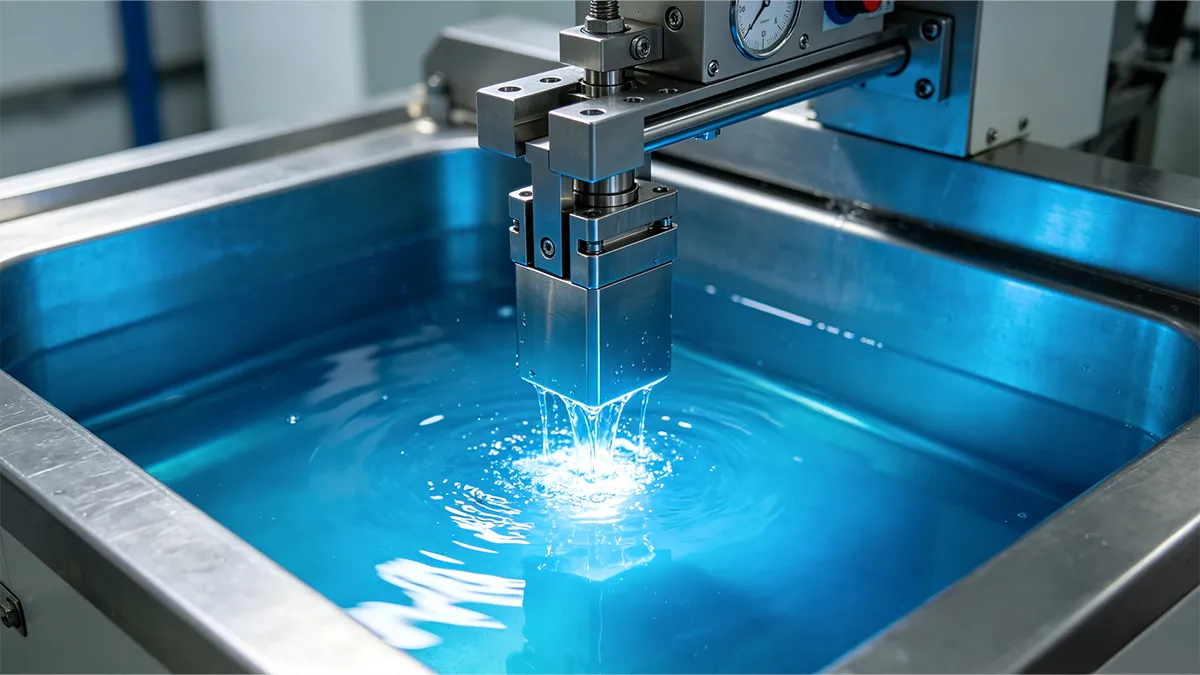
Tragen Sie Farbe auf die geätzte Platte auf. Eine Rakel oder eine Farbwanne entfernt überschüssige Farbe und sorgt dafür, dass diese nur in den vertieften Bereichen des Motivs verbleibt. Die Art der verwendeten Farbe kann je nach Untergrund variieren; gängige Optionen sind lösungsmittelbasierte, UV-härtende und Zweikomponentenfarben, wobei lösungsmittelbasierte Varianten häufig den nationalen Emissionsstandards für flüchtige organische Verbindungen (VOC) entsprechen müssen. [1].
- Übertragung mittels Silikonpad
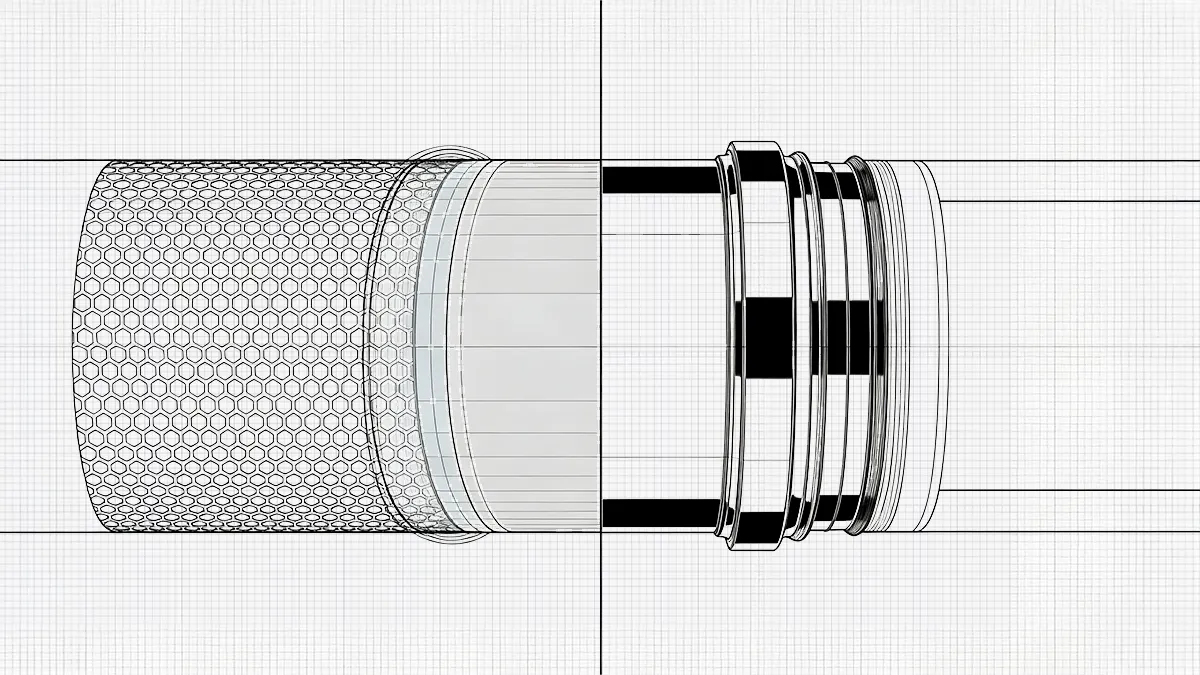
Ein Silikonkissen berührt die geätzte Platte, nimmt das mit Farbe versehene Motiv auf und überträgt es auf die Oberfläche des Werkstücks. Die einzigartigen Eigenschaften von Silikon sorgen für eine minimale Verzerrung der Farbe und eine präzise Übertragung, wodurch gleichbleibende Ergebnisse auch auf komplexen oder konturierten Oberflächen gewährleistet sind. Darüber hinaus passt sich das Silikonkissen dank seiner Flexibilität unterschiedlichen Oberflächenstrukturen und Formen an und gewährleistet so einen gleichmäßigen Druck.
- Trocknungs- und Aushärtungsprozess
Die Tinte trocknet oder härtet aus, je nach Tintenart und Untergrund. Manche Tinten trocknen schnell an der Luft, während andere eine UV- oder Wärmehärtung erfordern, um die Haftfestigkeit und Beständigkeit zu verbessern. Die Wahl der geeigneten Methode führt zu einem äußerst haltbaren Druck.
Wie überträgt das Silikonkissen die Tinte?
Die Druckfarbe ist ein wesentlicher Bestandteil des Tampondrucks. Sie dient zur Kennzeichnung oder Verzierung des Werkstücks. Jede Art von Untergrund erfordert eine bestimmte Art von Druckfarbe. So haftet beispielsweise Silikonfarbe nur auf Silikonkautschuk. Metall-Tampondruckfarbe hingegen haftet auf Metallprodukten. Die Verwendung von Metall-Tampondruckfarbe auf Gummi führt möglicherweise zu einem unzureichenden Druckergebnis oder beeinträchtigt die Qualität des fertigen Etiketts. Tampondruckfarben, die für Kunststoffe entwickelt wurden, haften auf Kunststoffen. Daher ist die Kenntnis der chemischen Zusammensetzung der Druckfarbe entscheidend für den erfolgreichen Druck auf einem Werkstück, und die Führung korrekter Sicherheitsdatenblätter (SDB) für diese chemischen Mischungen ist gemäß den Vorschriften zur Gefahrenkommunikation am Arbeitsplatz zwingend vorgeschrieben. [2].
Es gibt zwei Arten von Tinten:;
Lösungsmittelhaltige Druckfarben
Lösungsmittelbasierte Druckfarben müssen vor dem Druck mit Farbzusätzen gemischt werden. Dies liegt daran, dass die Farben auf Lösungsmittelbasis hergestellt sind. Beispiele für Zusätze sind Härter (Katalysator), Lösungsmittel und Haftvermittler. Einige lösungsmittelbasierte Druckfarben sind einkomponentig, andere zweikomponentig. Einkomponentendrucktinten benötigen keinen Härter. Zweikomponentendrucktinten benötigen für den Druck einen Härter. Zweikomponentendrucktinten haben eine kurze Verarbeitungszeit. Die Verarbeitungszeit ist, vereinfacht ausgedrückt, die Nutzungsdauer der gemischten Druckfarbe. Diese unterscheidet sich von der Haltbarkeitsdauer, also der Lebensdauer einer ungeöffneten Druckfarbe.
Ultraviolett-Tinten (UV-Tinten)
UV-Tampondruckfarben härten unter Einwirkung von ultraviolettem Licht aus. Zu den Vorteilen von UV-Farben zählen eine sehr kurze Aushärtungszeit, eine lange Verarbeitungszeit und eine hohe Fehlerverzeihung. UV-Farbe lässt sich leicht vom Werkstück abwischen. Dies ist vorteilhaft für die Korrektur von Fehlern.
Tampondruckfarben müssen sich durch hervorragende Ablöseeigenschaften vom Silikon-Drucktampon auszeichnen. Nur so kann die Farbe vom Silikon-Drucktampon auf das Werkstück übertragen werden.
Tintenübertragung
Die Farbe bildet sich aufgrund ihrer Haftfähigkeit auf der Oberfläche. Die Haftkraft der Farbe gegenüber dem Substrat muss stärker sein als ihre Haftung am Silikonkissen. Ist diese Haftung zu schwach, fließt die Farbe auf der Oberfläche, ohne zu haften. Die Haftung der Tinte ermöglicht es, dass die Tinte vom Tampon auf das Substrat (das Bauteil) übertragen wird. Daher ist die Auswahl des richtigen Lösungsmittels für den Druckvorgang wichtig.
Was sind die häufigsten Fehler beim Tampondruck?
Der Tampondruck muss sorgfältig durchgeführt werden, um mögliche Probleme zu vermeiden. Zu den möglichen Mängeln zählen:
Schlechte Tintenhaftung
Manchmal haftet die Farbe nicht auf der Materialoberfläche. Dies kann sofort oder erst später erkennbar sein. In manchen Fällen scheint die Farbe zunächst auf der Oberfläche zu haften. Nach einigen Tagen oder Stunden blättert die im Tampondruck aufgetragene Farbe jedoch ab. Eine schlechte Farbhaftung resultiert aus einem verschmutzten Untergrund, einer ungeeigneten Farbe oder einer unzureichenden Aushärtung. So führt beispielsweise die Verwendung von Silikonfarben beim Bedrucken von Metall zwangsläufig zu Problemen mit der Farbhaftung. Wird Polypropylen nicht mit einem PP-Primer vorbehandelt, führt dies ebenfalls zwangsläufig zu einer schlechten Farbhaftung. Ein Ansatz zur Vermeidung von Haftungsproblemen ist die Aushärtung der Oberfläche. Bei Glasmaterialien, die nach dem Bedrucken in der Spülmaschine gereinigt werden sollen, ist Wärme erforderlich, um die Tinte mit dem Glas zu verbinden. Wenn Sie Glasdrucke nicht erhitzen oder einbrennen, löst sich die Tinte schließlich ab.
Ghosting (Shadowing)
Schattenbildung ist ein häufiger Fehler beim Aufdrucken kräftiger Logos. Der Fehler zeigt sich in Form von schwachen Sekundärabdrücken oder Schatten um den Hauptabdruck herum. Geisterbilder entstehen durch unzureichende Farbabgabe vom Tampon oder eine mangelhafte Reinigung des Tampons zwischen den Druckvorgängen. Wenn der Becher für kräftige Logos nicht ausreichend gestützt wird, kommt es wahrscheinlich zu einer schlechten Rakelführung, was wiederum zu Geisterbildern führt.
Schnelltrocknend
Die Trocknung sollte nicht zu schnell erfolgen. Wenn die Farbe vor dem Auftragen auf das Material oder die Tampondruckplatte (Klischee) zu schnell trocknet, kann dies auf eine zu geringe Viskosität hindeuten. Dieses Problem kann durch verschiedene Faktoren verursacht werden. Dazu gehören niedrige Luftfeuchtigkeit, hohe Temperaturen und die Verwendung schnell trocknender Lösungsmittel (Farbverdünner). Um die Trocknung zu verlangsamen, sollten Sie die Temperaturen senken und langsamer trocknende Lösungsmittel oder Verzögerer verwenden.
Trocknet zu langsam
Wenn die Tinte zu langsam trocknet, bleibt sie klebrig, was problematisch ist. Die Hauptursachen hierfür sind eine unzureichende Aushärtung oder falsche Zusatzstoffe (Härter und Verdünner).
Schlechte Farbübertragung
Mangelhafte Farbübertragung vom Tampondruck-Tampon. Wenn die Tampondruckfarbe nicht vollständig übertragen wird, entstehen unvollständige Druckergebnisse. Dieses Problem kann durch ungeeignete oder falsche Lösungsmittel, falschen Tampondruck, ungeeignete Tamponhärte oder abgenutzte Tampons verursacht werden.
Was sind die gängigen Anwendungsbereiche des Tampondrucks?
Der Tampondruck findet breite Anwendung im gewerblichen und privaten Bereich;
Kunststoffindustrie
Der Tampondruck kann auf allen Arten von Kunststoffen angewendet werden. Die gängigsten sind: Polycarbonat (PC), Acryl (PMMA), Polypropylen (PP), Polyethylen (PE), Acrylnitril-Butadien-Styrol (ABS), Polyvinylchlorid (PVC) und Polystyrol (PS) usw. Die Vielfalt der Kunststoffe ist groß. Zu den mit Tampondruckern bedruckten Kunststoffprodukten gehören unter anderem Computer, Tastaturen, Autoteile, Stifte, Handwerkzeuge, technische Bauteile und Kunststoffgehäuse, um nur einige zu nennen. Bei diesen Produkten ist die Verwendung ungiftiger, bleifreier Druckfarben zwingend erforderlich, um die Sicherheitsvorschriften für Verbraucherprodukte zu erfüllen. [3].
Glasindustrie
Bei der Glasdekoration kommen verschiedene Tampondruckverfahren zum Einsatz. Da sich das Tampon an die Form des Substrats anpasst, eignet sich der Tampondruck ideal für runde Substrate wie Trinkgläser oder kleine Glasflaschen – vorausgesetzt, die auf Oberflächen mit Lebensmittelkontakt verwendeten Druckfarben entsprechen den strengen Vorschriften zur Lebensmittelsicherheit und zu Verpackungsmaterialien. [4]. Flaschen bestehen oft aus Glas, können aber auch aus anderen Materialien hergestellt werden, die sich bedrucken lassen. Weitere Anwendungsbereiche für den Druck auf Glas sind Glühbirnen, Leuchtstoffröhren, Brillen, Autofenster, medizinische Messbecher, Messgeräte usw.
Autoindustrie
Der Tampondruck wird zum Bedrucken von Tankdeckeln, Bremsbelägen und Armaturenbrettkomponenten eingesetzt. Unter der Motorhaube bedrucken die Hersteller zahlreiche Teile, darunter Riemen und Schläuche. Manchmal dient dies lediglich der Produktkennzeichnung. In dieser Branche werden viele verschiedene Materialien wie Metall, Glas, Kunststoffe, Gummi, Silikon und beschichtete Teile im Tampondruckverfahren bedruckt.
Kosmetik- und Pflegeprodukte
Nagellackflaschen, Mascara-Tuben, Puderdosen sowie Shampoo- und Parfümflaschen eignen sich ideal für den Tampondruck. Moderne Tampondruckmaschinen können diese Flaschen rundum bedrucken und lassen sich auch so konstruieren, dass sie mehrere Seiten von quadratischen Flaschen bedrucken können.
Verpackungsindustrie
Kartons, Plastiktüten sowie Holz- oder Metallkisten lassen sich im Tampondruckverfahren bedrucken. Das Aufdrucken von Logos, rechtlichen Hinweisen oder Spezifikationen direkt auf die Verpackungen ist eine gängige Methode, um Zeit und Verpackungskosten zu sparen.
Schlussfolgerung
Der Tampondruck ist nach wie vor ein unverzichtbares Verfahren in der modernen Fertigung und bietet unübertroffene Vielseitigkeit bei der Bedruckung komplexer 3D-Oberflächen. Durch das Verständnis des entscheidenden Zusammenspiels zwischen der geätzten Druckplatte, dem Silikon-Tampon und der spezifischen Tintenzusammensetzung können Hersteller präzise und dauerhafte Druckergebnisse auf einer Vielzahl von Materialien und in zahlreichen Branchen erzielen.
Referenzen
[1] US-Umweltschutzbehörde (EPA). (o. J.). Druck- und Verlagsindustrie: Nationale Emissionsnormen für gefährliche Luftschadstoffe (NESHAP). EPA: Stationäre Luftverschmutzungsquellen. Abgerufen unter https://www.epa.gov/stationary-sources-air-pollution/printing-and-publishing-industry-national-emission-standards
[2] Behörde für Arbeitssicherheit und Gesundheitsschutz (OSHA). (o. J.). 1910.1200 – Hazard Communication. Arbeitsministerium der Vereinigten Staaten. Abgerufen unter https://www.osha.gov/laws-regs/regulations/standardnumber/1910/1910.1200
[3] U.S. Consumer Product Safety Commission (CPSC). (n.d.). Lead in Paint and Certain Consumer Products. CPSC Business Education. Retrieved from https://www.cpsc.gov/Business–Manufacturing/Business-Education/Lead/Lead-in-Paint
[4] U.S. Food and Drug Administration (FDA). (n.d.). Determining the Regulatory Status of Components of a Food Contact Material. FDA Food Packaging & Other Substances. Retrieved from https://www.fda.gov/food/packaging-food-contact-substances-fcs/determining-regulatory-status-components-food-contact-material







 DE
DE  EN
EN  ES
ES  FR
FR  IT
IT  PT
PT  NL
NL  PL
PL  AR
AR  JA
JA  KO
KO  ZH
ZH