

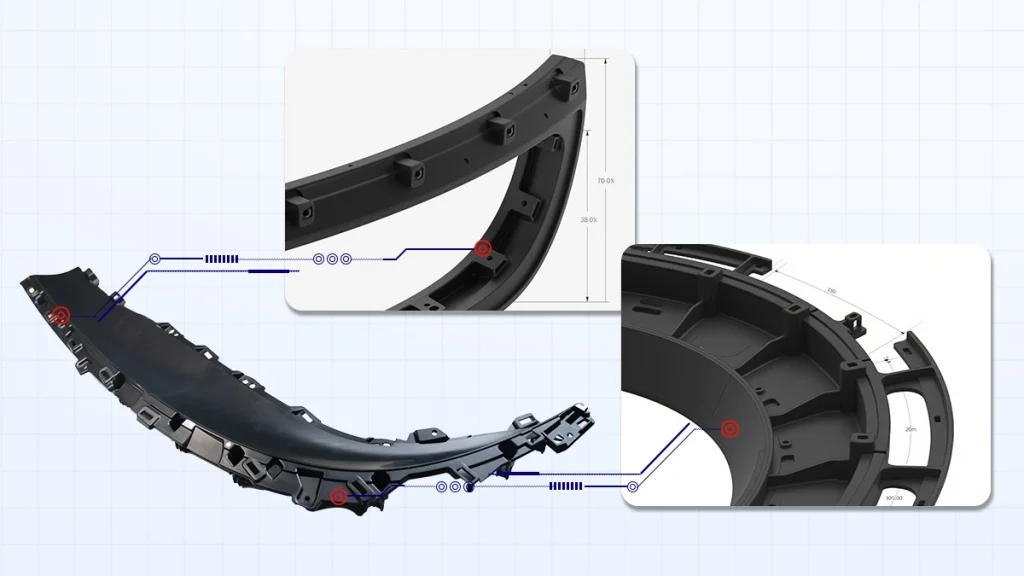
CAD modeling is the process of using computer software to produce a physical model and preview the design. These models expose accurate product designs by serving as templates for those products. CAD allows designers to make sketches, ideas, and experiments on concepts before building full models physically.
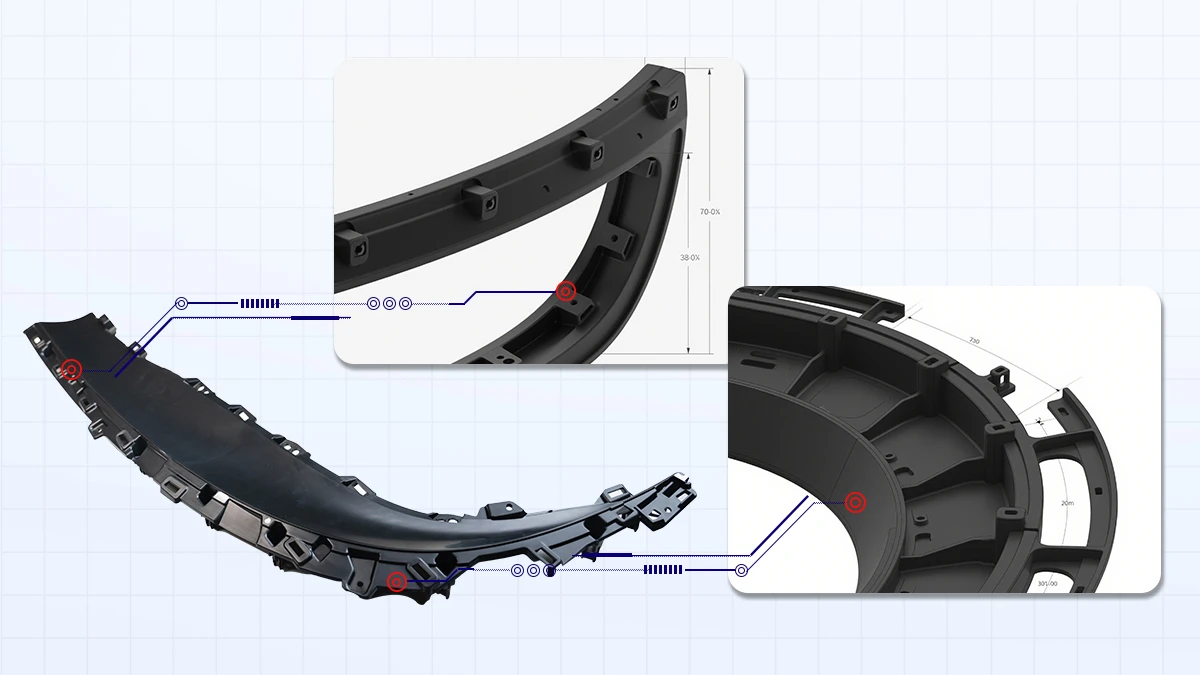
Benefits of CAD Modeling
CAD modeling is handy because of the benefits that make it essential in product design and prototyping. First of all, it makes for accuracy. The software lets the designers build models with nearly precise measurements, reducing the possibility of error when manufacturing the part. Hence, such accuracy is crucial to entities dealing with mission-critical products because a slight variation can compromise functionality in an optimized product.
The second significant advantage is efficiency. CAD software simplifies design since the designer has to make changes to the design, and these changes are much easier and faster in a computer environment. A big plus when using it is that compared to conventional approaches, one does not have to go back to square one in a situation where modification is necessary.
Finally, CAD modeling helps improve visualization. The ability to create 3D models gives the stakeholders additional perspectives on the product before its construction. It not only aids in assessing design weaknesses at a very early stage but also assists in facilitating proper conveying of the correlates and expectations of the designers, engineers, and clients via the beneficial visualization of the impending outcomes.
Steps in CAD Modeling for Product Design
The whole process of CAD modeling depends on some well-deliberated sequential consecutive steps that convert design concepts into workable designs. Every step thus assumes paramount importance for determining that the final design outcome is both implementable and efficient. Here’s a detailed breakdown of these steps:

1. Concept Sketch
Designers begin by creating sketches of the product to hand-draw or create a digital model to represent the ideas of the product. They help design and ensure that all or some aspects of the design flow smoothly. Once these initial ideas succeed, they transform into the first sketches of a 2D CAD model. This step ensures that the creativity and design of work meet the technical specifications of a project and offer a base on which to build a model.
2. 3D Modeling
After developing 2D designs, designers proceed with creating 3D expansions of layouts. Modern design engineering applications use state-of-the-art CAD tools to specify parts and products’ detailed parameters, dimensions, and geometries. Here, the physical product is constructed in stages on a computer to ascertain that every element interfaces properly with the next. Designers apply extrusions, revolutions, and lofting techniques in making geometries. This stage is susceptible to detail since the accuracy of the 3D model determines the rest of the process outcome.
3. Simulation
After creating the 3D model, the actual testing happens on the virtual model using simulations done on the CAD software. This step is crucial here to determine the capability of a product, as well as its endurance and productivity under different conditions. For instance, stress analysis will show if the product can handle loads likely to be encountered, while thermal simulations will determine how the product can dissipate heat. Apart from eliminating the necessity of macro prototypes, the simulation also allows for the explication of certain defects and their correction before the onset of more detailed work.
4. Refinement
The last step is correcting possible errors identified in the previous steps. In this stage, engineers use the simulation data to determine if the product meets the client’s needs. Measurements may entail changes in size, changes to portions of a component, or the application of a different material. Working with the engineer and other stakeholders is possible to ensure the functional and aesthetic requirements. This continuous process is a way of isolating the design features that work well when implemented. It also helps determine that the design features are relatively easy to incorporate into manufacturing.
5. Export
The last process of CAD modeling is pushing the final design for manufacture or even for developing the prototype. CAD designs use output formats compatible with other manufacturing industries, such as STL for 3D printing or STEP for CNC machining. Exporting also means sending the foreign buyer the documentary supplied, like technical drawings, assembly instructions, and material specifications for the production. This step helps translate the virtual design to reality, where the slightest modification is necessary before fabrication.
| Step | Description |
|---|---|
| Concept Sketch | Designers translate hand-drawn ideas into rough 2D CAD designs. |
| 3D Modeling | Designers create detailed 3D models with accurate dimensions. |
| Simulation | Software tests the model for strength, performance, and other parameters. |
| Refinement | Making adjustments to optimize the design. |
| Export | Sending finalized CAD files for prototyping or manufacturing. |
How CAD Models Enhance Prototyping
Prototyping remains significant in the product development process. This process allows the designers to produce models that go through testing regarding their possible use. It also helps them to determine how the final product will fit the consumer and the workable feasibility of their idea.
CAD models are critical in making this process faster and more efficient, which is what we will look at now. CAD also helps to minimize the role of necessity for prototypes as the given prototypes are more accurate in terms of the final result than prototypes of traditional Modeling.
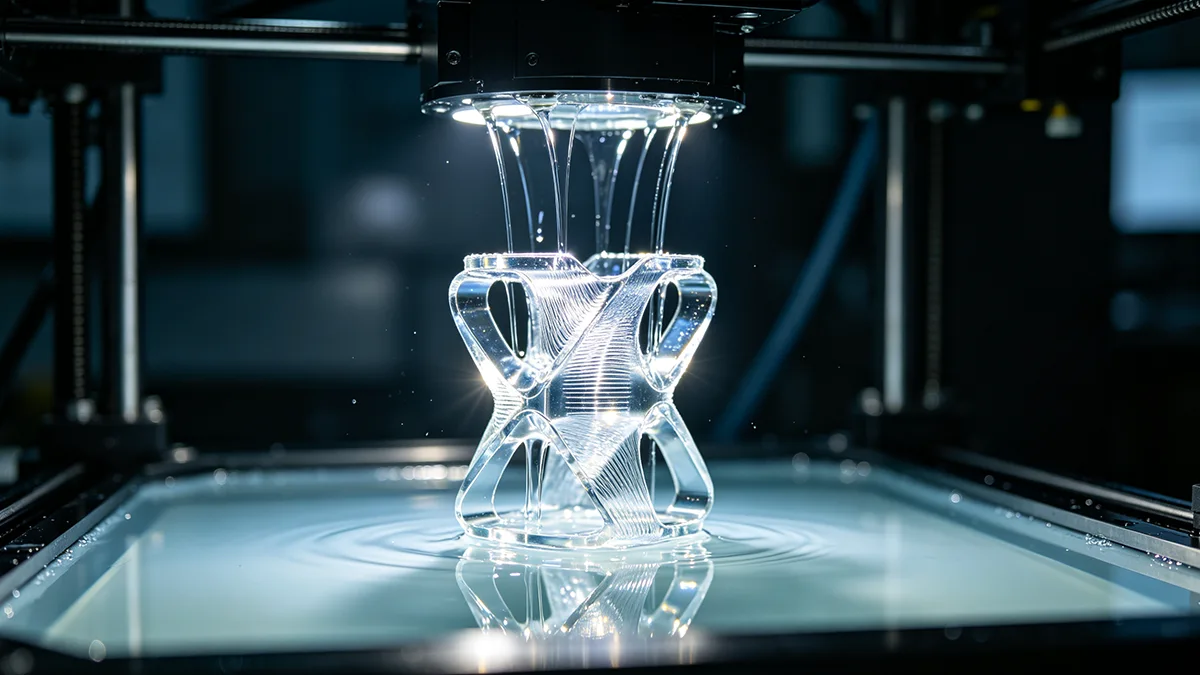
Another advantage of CAD for modeling the prototype is its compatibility with 3D printing. In many cases, CAD files can be directly imported into 3D printers, although some may require additional adjustments depending on the printer’s format requirements. It also makes the process of prototyping swift, and it takes little time to complete. This speed aids in validating the designs and the cycle pace required for the project, thus diluting time-related issues.
In addition, through CAD models, it is easier to prevent costly mistakes in early production processes and save on materials costs. A further positive aspect of the design process involves the utilization of CAD to make quite several changes to the design. Using CAD models, designers can incorporate functional adjustment feedback from tests on prototypes and produce fresh models for continuing evaluation. It enhances efficiency since changes are effected accurately without starting over from the basics.
In sum, CAD modeling is an exceptionally valuable asset in other activities related to design and production since it offers instant, inexpensive, and fast prototyping.

Applications of CAD Modeling in Product Design
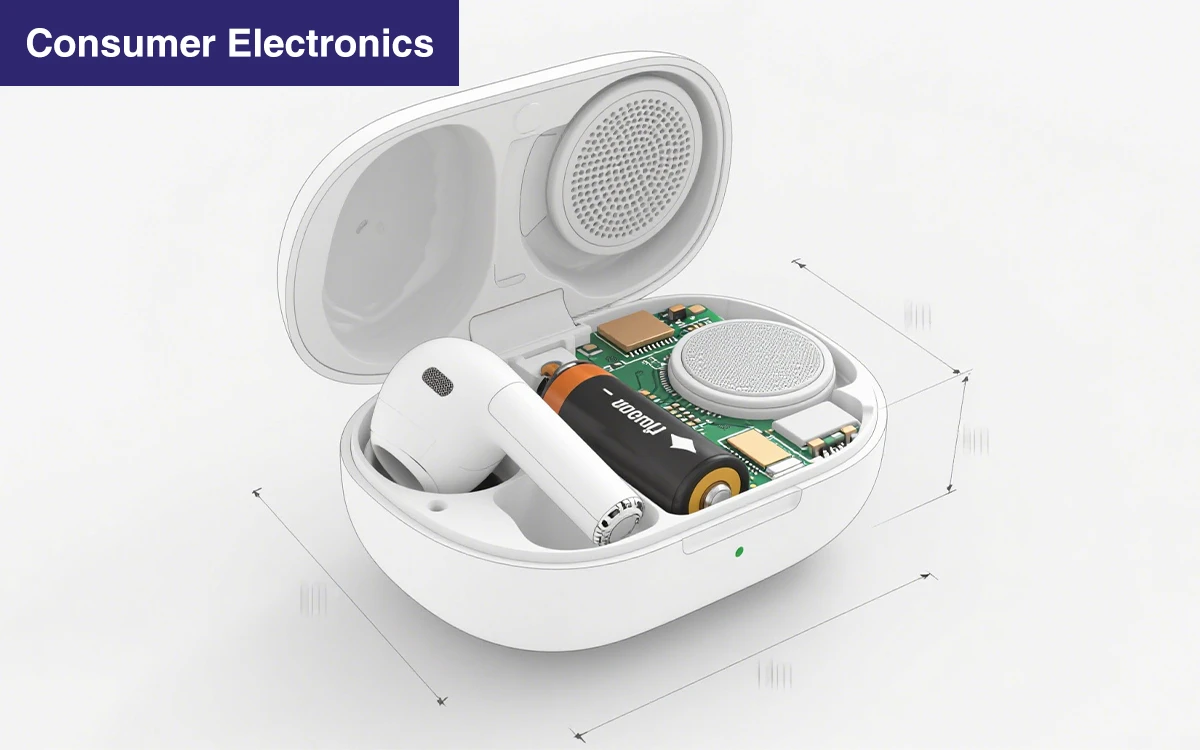
CAD modeling is a beneficial technique that can help in Modeling in most industries. Since the design is accurate and detailed, this system is appropriate for producing objects with sophisticated geometrical shapes and minor permissible deviations. CAD is becoming popular in many fields, including consumer electronics, automotive, healthcare, aerospace, and many others. In these industries, the use of CAD entails design as a tool that can help improve the performance and reduce the development cycles of the product. Through the creation of digital models, CAD assists the designers in having the ability to design the product and test it before the physical version is produced, thus reducing waste.
In consumer electronics, CAD helps design any object, from smartphones to laptops. It has sophisticated modeling features. CAD is common in automobile manufacturing, mainly designing engine parts and body lines through CATIA and Siemens NX tools.
In healthcare, CAD supports the design of health-related articles such as medical devices and prosthetics, made possible with tools like PTC Creo and Fusion 360.

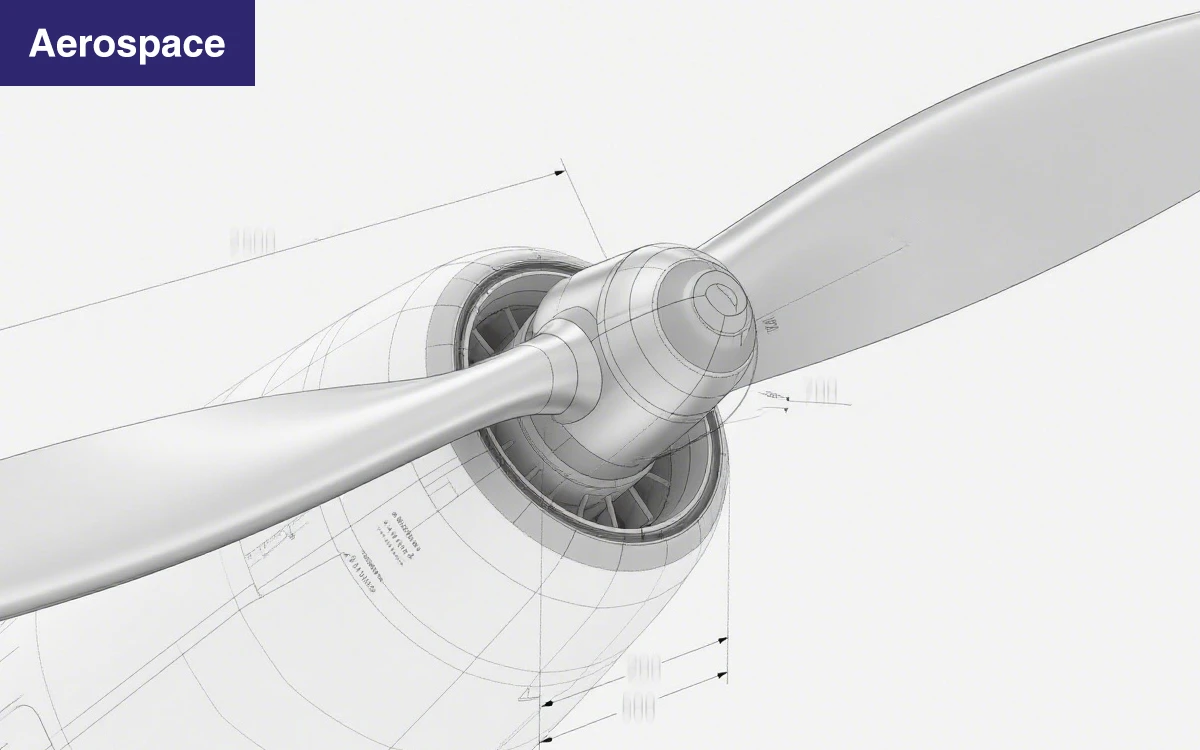
CADs are helpful in the aerospace industry, where they are used to create complex features of aircraft and drones using tools like Rhino and Solid Edge. These applications demonstrate the versatility offered by CAD in solving the needs of various industries, implementing it as a significant tool in modern product design.
| Industry | Example Products | Software |
|---|---|---|
| Consumer Electronics | Smartphones, laptops | SolidWorks, AutoCAD |
| Automotive | Engine components, body panels | CATIA, Siemens NX |
| Healthcare | Medical devices, prosthetics | PTC Creo, Fusion 360 |
| Aerospace | Aircraft parts, drone designs | Rhino, Solid Edge |
Best Practices for CAD Modeling
Using CAD modeling in product design involves progressively expanding the complexity of the models. This way of working gives the design a clear direction and dramatically decreases the probability of mistakes from the beginning of the design process. By linking all these components, designers can make these changes relatively quickly and specify consistency across the model.
The other common practice is to save multiple versions of your work as you progress on different drafts. This approach allows you to configure and re-configure the work to meet the client’s expectations, with greater affordability than cost savings compared to digital storage formats. It is unwise not to record the number of design versions you have worked on. A good record can help if one wants to return to an early design stage. It is also true for CAD modeling, where cooperation is of the essence.
Getting designs checked by team members is a more effective way of reviewing a design before coming up with a final design that fully meets functional and manufacturing requirements.
Comparing CAD Tools for Product Design
While in use, different CAD applications support unique attractions that are key to the project. Compared to similar programs, SolidWorks has excellent 3D Modeling and, despite being a little expensive, is very easy to use and perfect for designing assemblies. Fusion 360 has similar powerful 3D modeling capabilities, but it’s a better solution for freelancers and small and medium-sized businesses. AutoCAD is less convenient in 3D and more appropriate for 2D design in moderate cost easiness. These differences are significant because they assist the designer in choosing the right tool for their project depending on the project’s complexity and wallet size.
| Feature | SolidWorks | Fusion 360 | AutoCAD |
|---|---|---|---|
| Ease of Use | High | Moderate | Moderate |
| 3D Modeling | Excellent | Excellent | Basic |
| Cost | High | Low | Moderate |
| Best for | Complex Assemblies | Freelancers &SMEs | 2D and basic 3D |

Future Trends In CAD Modeling
The future of CAD modeling depends on new technologies that offer great potential in developing designs. One major trend is the consideration of artificial intelligence in programs that aid architects and drafters, such as CAD. AI solutions will help improve design by recommending changes, pointing to weaknesses in design or lack of manufacturability, and making designs more efficient.
It will further eliminate the need to break the design process into numerous steps, which takes away designers’ time from more specific problem-solving.
Another relatively new phenomenon is that many CAD platforms migrate to the cloud. These tools involve working on the same project simultaneously, and colleagues can work on the project regardless of the geographical location.
Also, an unexpected shift is evolving in prototyping through virtual and augmented reality technology in design. Such designs may include VR and AR; the designers are not only able to see the design and layout of a particular structure or building, but they are also able to move around it then and there, which helps them to consider how functional and beautiful the designs look to them before proceeding to the next level.
They all enhance the base for the period in CAD modeling that is more effective, friendly, and understandable at the Air Force base.
Conclusion
CAD has a vital role in current product design and Modeling, in addition to a range of integrated tools that can accelerate product design and reduce expenses. Designers can accelerate their development cycles, reduce design errors, and improve design layouts before going into the actual physical manufacturing of the object.
About the use of best industry practices, it is important to stress that by following straightforward guidelines, including starting with basic shapes, using the parametric approach, saving versions, and employing collaborative work. Businesses can achieve the highest efficiency of design and the result of high quality.
Also, using AI tools, cloud, and VRAR prototyping will enhance organizations’ competition in the ever-evolving market.
Therefore, it is wrong to adopt CAD modeling only as it helps solve complex problems in equipment development and creates all the conditions for further building success and innovation.




 EN
EN  ES
ES  FR
FR  DE
DE  IT
IT  PT
PT  NL
NL  PL
PL  AR
AR  JA
JA  KO
KO  ZH
ZH